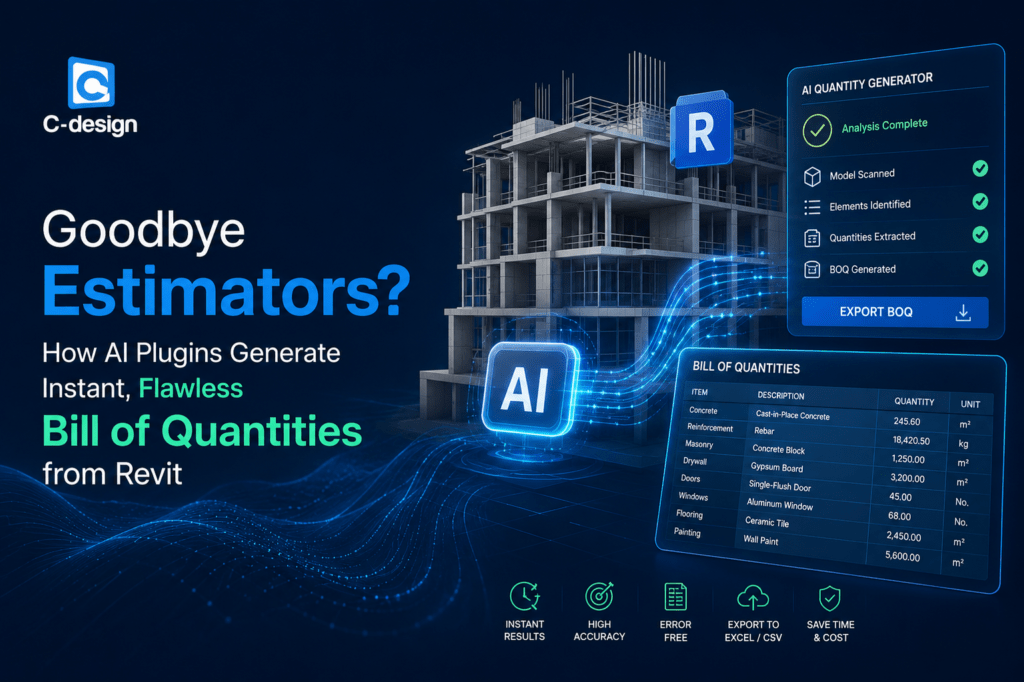
Goodbye Estimators? How AI Plugins Generate Instant, Flawless Bill of Quantities from Revit
Posted on : Jul 31, 2026
Goodbye Estimators? How AI Plugins Generate Instant, Flawless Bill of Quantities from Revit
In the construction and BIM world, speed and accuracy decide who wins work and who loses time. Estimators, quantity surveyors, and CAD/BIM teams have spent years turning Revit models into Bills of Quantities by hand, checking schedules, tracing elements, and correcting costly mistakes. Today, AI plugins are changing that process fast.
With the right AI-enabled workflow, Revit models can produce near-instant quantity takeoffs, structured BOQs, and export-ready reports in a fraction of the time. That does not mean estimators are disappearing. It means their role is shifting from repetitive data entry to higher-value review, validation, pricing strategy, and risk control. For firms that want to stay competitive, this is a major opportunity.
For businesses working with Outsourcing CAD Works, the benefits go even further. When you combine Revit expertise, CAD outsourcing, and AI-assisted BOQ generation, you get a scalable workflow that helps teams move faster, reduce human error, and deliver better results to clients.
What AI Plugins Do in Revit
AI plugins for Revit are designed to read model data, identify elements, classify components, calculate quantities, and organize output into a Bill of Quantities format. Instead of manually counting walls, doors, fittings, pipes, or structural components, the plugin can extract that information directly from the model.
Depending on the tool, AI can also map items to measurement rules, group elements by trade, and export results to Excel or BOQ templates. Some solutions work with live Revit models, while others connect through schedules or model data pipelines. The result is the same: faster takeoff, fewer manual steps, and a cleaner BOQ.
This matters because quantity takeoff has always been one of the most time-consuming parts of project estimation. If AI can remove 70% to 90% of the repetitive work, estimators can spend more time on actual decision-making.
Why BOQ Accuracy Matters So Much
A Bill of Quantities is more than a list. It is the foundation for pricing, tendering, procurement, and project planning. If the quantities are wrong, the budget is wrong. If the budget is wrong, the project is exposed to delays, overruns, and margin loss.
That is why a “good enough” BOQ is not good enough. You need consistency, traceability, and confidence in the numbers. AI plugins help by reducing counting errors, removing duplicated effort, and keeping quantity extraction tied directly to the Revit model.
When the model changes, the quantities can be updated faster too. That is especially useful in live projects where revisions arrive frequently and estimators need to react quickly.
How AI Generates BOQs from Revit
The process is usually straightforward. First, the Revit model is loaded into the plugin or connected through an integrated workflow. Then the AI scans model elements, reads categories, parameters, and schedules, and identifies the objects that need to be measured.
Next, the software calculates quantities such as counts, areas, lengths, volumes, and weights based on the element type. It then groups the results into a BOQ structure that can be reviewed, edited, and exported. In some systems, the plugin can also apply local measurement rules or pricing logic.
This is where AI is powerful: it does not replace judgment, but it speeds up the repetitive part of the process so the human team can focus on verification and strategy.
Goodbye Estimators? Not Exactly
The headline sounds dramatic, but the real answer is more balanced. AI plugins do not eliminate estimators. They redefine what good estimating looks like.
Instead of spending hours on manual tracing, estimators can now:
Review AI-generated quantities.
Check exceptions and edge cases.
Validate revisions and change orders.
Apply market rates and procurement logic.
Compare scenarios and improve bid strategy.
That means the estimator becomes more valuable, not less. In the same way CAD tools did not eliminate designers, AI BOQ tools will not eliminate quantity professionals. They simply remove the slowest and most repetitive parts of the job.
Key Benefits of AI BOQ Generation
AI-assisted BOQ generation offers a number of practical advantages for construction and BIM teams.
Faster takeoff turnaround.
Lower risk of manual counting errors.
Better consistency across projects.
Easier handling of revisions.
Reduced workload for busy teams.
Faster bid preparation.
Improved coordination between BIM, estimating, and procurement.
For firms that manage multiple tenders or large projects, those improvements can have a real commercial impact. A faster BOQ process can mean earlier submissions, fewer mistakes, and more confident pricing.
Why Revit Is the Right Starting Point
Revit is already one of the most widely used BIM platforms because it stores rich model data. Elements in Revit can carry parameters, schedules, classifications, and geometry information that AI plugins can use to build accurate takeoffs.
That makes Revit a natural fit for BOQ automation. Instead of reading from flat drawings, the plugin can work from a structured digital model. That is a huge advantage because it gives the software more context and reduces ambiguity.
The better the Revit model, the better the BOQ output. That is why model quality, naming conventions, and BIM standards still matter even when AI is doing the heavy lifting.
Where Outsourcing CAD Works Helps
This is where Outsourcing CAD Works can make a big difference. Not every company has the internal bandwidth to keep Revit models clean, updated, and ready for AI-assisted extraction. Many teams are already stretched with design delivery, coordination, and documentation.
By outsourcing CAD and BIM support, firms can:
Keep Revit models organized and ready for quantity extraction.
Get help with families, parameters, and model cleanup.
Reduce backlogs in documentation and drafting.
Support estimating teams with accurate model inputs.
Scale faster without hiring full-time staff for every spike in workload.
This creates a smoother workflow from design to BOQ. Instead of fighting messy models, your team gets structured data that the AI plugin can process more reliably.
How AI Plugins Generate Instant Bill of Quantities from Revit
Revit already stores rich data about every element in a model — geometry, material, dimensions, and object parameters. AI-powered quantity takeoff plugins tap directly into this data using Revit’s API, then apply machine learning and rule-based logic to classify, group, and calculate quantities automatically. Here is how the process typically works:
1. Automated Model Scanning
The plugin scans the entire Revit model, identifying every wall, slab, column, door, window, duct, and pipe, along with their associated parameters such as material, thickness, and area.
2. Intelligent Classification
Using AI-based pattern recognition, the plugin classifies elements according to construction cost codes or classification systems such as Uniformat, MasterFormat, or NRM (New Rules of Measurement), ensuring the output aligns with industry-standard estimating formats.
3. Instant Quantity Calculation
Instead of manually measuring each object, the AI plugin instantly calculates volumes, areas, lengths, and counts, then compiles them into a structured Bill of Quantities, often exportable directly to Excel or a cost estimating platform.
4. Real-Time Model Synchronization
Because the plugin is connected live to the Revit model, any design change automatically triggers a recalculation. This means the BOQ evolves in real time as the design develops, eliminating the lag between design updates and cost estimates.
5. Error Detection and Flagging
Advanced AI plugins can flag inconsistencies, such as unassigned materials, duplicate elements, or missing parameters, helping teams catch modeling errors before they affect the final BOQ.
Key Benefits of AI-Generated Bill of Quantities
| Benefit | Traditional Manual Takeoff | AI-Powered Revit Plugin |
| Speed | Days to weeks per project | Minutes to hours per project |
| Accuracy | Prone to human error | Consistent, data-driven calculations |
| Design Updates | Requires manual rework | Automatically recalculated |
| Scalability | Limited by estimator availability | Handles multiple projects simultaneously |
| Cost Over Time | Higher labor cost per project | Lower long-term operational cost |
These advantages explain why construction estimating software powered by AI is quickly becoming a standard part of BIM workflows, particularly for firms managing multiple large-scale projects at once.
Positives for Construction Firms
For contractors, consultants, and developers, the business case is strong. AI BOQ generation can reduce estimating time, improve bid accuracy, and help teams respond faster to opportunities.
It also supports better collaboration. When BIM, CAD, and estimating teams work from the same model, fewer assumptions slip through the cracks. That means clearer communication and better project control.
The biggest advantage is probably this: your team can spend less time measuring and more time deciding. That is where profit is protected.
How Outsourcing CAD Works with AI BOQ Tools
A good outsourcing workflow is simple. First, the design or BIM team prepares the Revit model. Then the outsourced CAD team helps clean up the model, standardize parameters, and resolve any modeling issues that might interfere with quantity extraction.
Once the model is ready, the AI plugin generates the BOQ. Your team reviews the output, applies rates, checks exceptions, and finalizes the report. If revisions arrive, the outsourced team can update the model and the AI workflow can generate revised quantities faster than a manual process.
This hybrid approach combines three strengths: human expertise, outsourced production support, and AI speed.
Common Use Cases
AI-generated BOQs from Revit are especially useful in projects where quantity accuracy and speed are critical.
- Commercial buildings.
- Residential towers.
- Industrial facilities.
- MEP coordination.
- Structural packages.
- Tender documentation.
- Variation analysis.
- Procurement planning.
In all these cases, the same principle applies: the more structured the model, the more reliable the output.
Why Human Review Still Matters
Even the best AI plugin should not be treated as a black box. Models can contain errors, missing parameters, wrong classifications, or design changes that affect quantities. That is why review remains essential.
A strong workflow uses AI for extraction and humans for verification. This is where experienced estimators and CAD specialists still play a vital role. AI speeds up the process, but expert judgment ensures the output is usable, accurate, and defensible.
That balance is what makes the system powerful instead of risky.
Why This Trend Matters Now
The construction industry is under pressure to move faster, reduce waste, and improve predictability. Manual estimating is no longer enough when projects are growing more complex and deadlines are tighter.
AI plugins for Revit are part of a bigger shift toward data-driven delivery. Firms that adopt these tools early can shorten bid cycles, improve consistency, and reduce costly rework. Those that wait may struggle to keep up.
For companies like Outsourcing CAD Works, this is a chance to help clients modernize their workflow without losing control over quality.
SEO Keywords
AI plugins for Revit, Revit Bill of Quantities, instant BOQ from Revit, Revit quantity takeoff, AI construction estimating, BIM automation, outsourced CAD services, Revit model cleanup, quantity surveyor workflow, BOQ generation software, construction estimating automation, CAD outsourcing.
FAQs
- What is an AI plugin for Revit?
An AI plugin for Revit is a tool that reads model data, identifies elements, and generates quantities or BOQs automatically, reducing manual takeoff work. - Does AI replace estimators?
No. AI reduces repetitive work, but estimators still review quantities, apply rates, manage risk, and make pricing decisions. - How accurate are AI-generated BOQs?
Accuracy depends on model quality, parameters, and workflow setup. With a clean Revit model and proper review, AI BOQs can be highly reliable. - Why is Revit good for BOQ generation?
Revit stores structured model data, making it easier for AI tools to calculate quantities directly from geometry, schedules, and parameters. - How does outsourcing CAD help BOQ workflows?
Outsourcing CAD helps keep Revit models organized, clean, and ready for automated quantity extraction, saving time and reducing errors. - Can AI handle revisions in Revit models?
Yes, many AI tools can update quantities when the model changes, which is a major advantage over manual takeoff methods. - Is this useful for contractors and consultants?
Absolutely. Contractors, consultants, and developers benefit from faster BOQs, better accuracy, and quicker bidding cycles.
Get in touch with Outsourcing CAD Works today for reliable, accurate, and fast BIM modeling, Revit quantity takeoff, and Bill of Quantities services tailored to your project needs.
Visit us at www.outsourcingcadworks.com to request a free quote or consultation.
Call to Action
If your team is still spending too many hours on manual quantity takeoff, it is time to modernize the workflow. Outsourcing CAD Works can help you prepare cleaner Revit models, support AI-based BOQ generation, and improve the speed and accuracy of your estimating process.
Whether you need Revit support, CAD outsourcing, or a more efficient path from model to Bill of Quantities, our team can help you build a smarter workflow. Visit www.outsourcingcadworks.com to learn more and start scaling your BIM and estimating process today.
Tags
Revit, AI Plugins, Bill of Quantities, BOQ Generation, Quantity Takeoff, BIM Automation, CAD Outsourcing, Outsourcing CAD Works, Construction Estimating, Revit BOQ, Quantity Surveying, Construction Technology, AI in Construction
Related Blogs
Art assets in different styles like 2D art for interactive applications, Games, and UI. We are having more than 15 years of experience